
Introduction
Check the limit and the source before uploading again
If a file exceeds the stated upload limit, preserve the original and prepare a supported smaller input before trying again. First confirm the actual file size and the specific failure state. A size rejection is different from a slow transfer, a damaged file, an unsupported encoding, or processing that has already begun after upload. Repeating an unchanged oversized file does not change the condition that caused a size rejection. Check the current limit in the service's own interface or help, then inspect the local file and decide whether the task needs video, all audio tracks, or only one relevant soundtrack. This decision often matters more than choosing an arbitrary compression preset. The goal is a usable transcription input that preserves the required speech and its relationship to the original recording, rather than a file that is merely small enough to pass one preliminary check.
Leave reasonable size headroom instead of relying on a rounded file-manager display. A displayed value close to a limit may conceal a different byte count or a different unit convention. Where the product does not publish an exact byte boundary, do not invent one. Prepare a file comfortably below the stated limit and verify its actual size. A short authorized sample can help confirm compatibility, but it does not prove that a much larger input will upload or process successfully. Keep a record of the original, the prepared copy, and what changed between them. If the product already shows an accepted job, inspect that job's state before starting another upload. This separates a genuine need to change the source from uncertainty about an existing attempt and prevents repeated transfers from creating several indistinguishable copies without answering which one contains the intended recording.
References: MDN: Blob Size in Bytes; MDN: HTTP 413 Content Too Large.
Understand why large media files need different preparation choices
A large file can result from long duration, high data rates, or multiple media streams. A short production video can be larger than a long compressed audio interview, so file size is not a direct measure of how much speech needs transcription. The container is the file structure that holds streams and metadata; the codec describes how a particular stream is encoded. A familiar extension does not tell the whole story, and changing the extension does not perform a conversion. Inspect the actual contents where possible. An audio-only task may not need a large video stream, while a task involving visual references still needs access to the original video during review. Removing video from the upload can be useful without implying that the visual information is irrelevant to the finished transcript or the reader's understanding of the recording.
For a hypothetical panel recording, the camera file might contain a high-resolution picture, a mixed room track, and separate microphone tracks. The smallest audio choice is not necessarily the most useful one. A room track may miss a quiet participant, while an isolated track may contain only one speaker. The preparation decision should follow required speech coverage, with the original available for comparison. Another file might be an uncompressed audio master whose size reflects its recording format rather than unusual duration. Converting that master into a smaller working copy can be appropriate, while retaining the master for later correction. Library of Congress preservation guidance helps distinguish preservation copies from access copies; it does not prescribe the best upload format for every transcription service. Keep those roles separate so that a temporary convenience does not become an accidental replacement of the most informative source.
References: MDN: Media Container Formats; Library of Congress: WAVE Audio File Format.
1. Inspect the recording before changing it
1.1 Record the properties that explain the size
Inspect the byte size, duration, container type, audio codec, stream count, channel arrangement, and source edition. These properties help identify a sensible preparation route. Media-inspection tools such as ffprobe can report container and stream information, while listening is still necessary to establish what the tracks actually contain. Metadata may identify several streams without explaining which one contains the desired conversation. Confirm the beginning, a representative middle passage, and the ending, including any speaker who is difficult to hear. If the file is still being copied or synchronized from another location, make sure the local copy is complete before converting it. A partially available file can create confusing errors that resemble a codec or size problem. The inspection should give you a concrete description of the source rather than a guess based only on its filename, extension, or the application that originally created it.
Consider a hypothetical video that plays correctly in its editing project but whose standalone export contains only a narrator's track. Converting that export more aggressively will not restore the missing interview voices. The right first correction is source selection, not compression. Similarly, a file may contain a commentary track and the original discussion in different streams. Verify which one you intend to transcribe before extracting audio. Keep notes about the chosen stream and any channel treatment so that the prepared copy can be recreated if review finds a problem. This information can remain a simple production record outside the transcript. Its purpose is to prevent a smaller derivative from being mistaken for a complete representation of the original media. An inspection that identifies the wrong input early can save a great deal of transfer and correction work without requiring any claim about faster recognition or improved accuracy.
References: FFmpeg: ffprobe Media Inspection; Library of Congress: WAVE Containers and Audio Encodings.
1.2 Estimate size without treating a bitrate as a quality guarantee
Distinguish compressed bitrate, uncompressed sample data, duration, channel count, and container overhead. A simple calculation can help plan a working copy, but it is not a prediction of recognition accuracy. For an explicitly hypothetical constant-rate audio stream at 128,000 bits per second, one hour contains about 57.6 million bytes of encoded data before overhead. The arithmetic is rate multiplied by time and divided by eight. Variable-rate encoding and metadata can change the actual size, so inspect the finished file rather than relying on the estimate. For uncompressed audio, sample rate, sample precision, channels, and duration explain much of the payload size. None of these calculations establishes that a particular service accepts the resulting codec or that a chosen setting preserves the difficult speech well enough for the intended task. Compatibility and content quality require their own checks.
A second hypothetical calculation illustrates why removing an unnecessary picture can matter. A two-hour video whose total average rate is eight million bits per second contains roughly 7.2 billion bytes before small accounting differences, while its audio portion may be much smaller. This does not mean every eight-million-bit video has the same structure or that extracting audio always yields a particular size. It simply explains why the first question should be which streams the task needs. Avoid automatically reducing an already fragile voice track to the lowest rate that makes an upload possible. The resulting file may remain playable while losing information needed to distinguish words. Compare representative difficult passages and keep the original. A working copy should be judged by whether it retains the relevant speech and fits the supported workflow, with its actual size measured after preparation rather than assumed from a preset name.
References: MDN: Audio Codecs, Bitrates, and Tradeoffs; Library of Congress: Audio Preservation and Access Formats.
1.3 Choose extraction, conversion, or segmentation for a reason
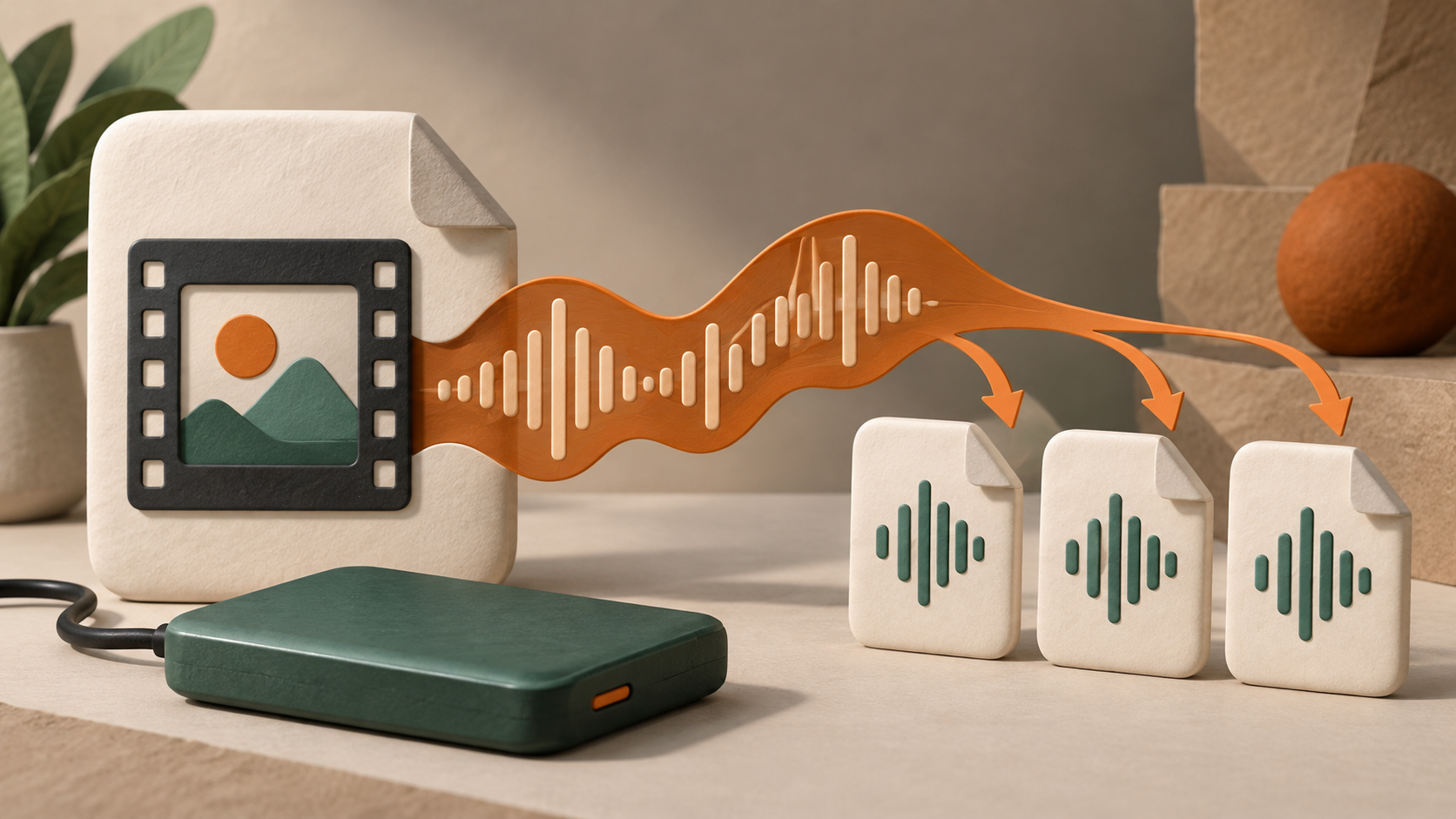
Compare stream extraction, remuxing, transcoding, audio mixing, and segmentation according to the problem you actually need to solve. Copying an encoded audio stream into a compatible container can avoid decoding and re-encoding that stream. Transcoding decodes and encodes again, which can change size and quality. Mixing changes the relationship among channels or tracks. Segmentation creates smaller pieces and introduces an assembly task. These operations are not interchangeable, and a tool's export button may perform more than one at once. Inspect the chosen settings and the resulting file. If you only need to remove an unnecessary video stream, do not assume that the audio must also be heavily recompressed. If the original audio encoding is unsupported by the destination, a compatible conversion may be necessary even when extraction alone would produce a small enough file. Let the source and destination requirements determine the route.
Preserve a reversible production path by retaining the original and naming derivatives clearly. A hypothetical working copy might be identifiable as extracted audio, while another is a smaller encoded version and a third is a particular segment. Avoid overwriting each with the same ambiguous filename. If a conversion fails, a later editor should be able to return to the original and try an appropriate alternative without reconstructing several undocumented transformations. Test the resulting media locally before upload, and confirm that it contains the intended voices for the full expected duration. A successful export notification does not prove that the right stream was selected or that the end of the recording survived. Preparation is complete only when the derivative's role is clear and its content has been checked sufficiently for the next step, with any limitations carried forward into transcription review.
References: FFmpeg: Stream Selection and Transcoding; MDN: Containers and Encoded Streams.
2. Prepare a supported input and preserve the timeline
2.1 Respect the current limit rather than repeating the same rejection
Check the documented limit, the actual byte count, the selected input route, the error message, and the existing job state. HTTP defines a content-too-large response for a request exceeding server limits, but a product may present a different interface message or reject a file before transfer. Do not infer an HTTP status that you have not observed. Conversely, a size-related message does not prove that the recording itself is damaged. Preserve the message and the local file properties, then change the condition that caused the rejection. Renaming the file or selecting it repeatedly does not reduce its size. If a prepared derivative remains too close to the boundary, create adequate headroom and recheck the finished bytes. Keep the decision focused on a supported input, rather than searching for an undocumented route that merely postpones the same limit to a later stage.
WhisperAITranscribe currently states a 5 GB maximum individual file size in its public help. That help suggests splitting a larger file or converting it to MP3 before upload. These are preparation suggestions, not evidence that every conversion setting or every resulting file has been tested. Choose the option that preserves the speech your task needs and confirm the selected language before transcription. A smaller derivative still needs compatibility and completeness checks. The public help also describes transcription minutes by media duration rather than word count, so a lower file size should not be treated as proof of lower usage for the same duration. This article does not report a service upload or billing test. If the interface presents an unresolved account, capacity, or processing issue, use the actual project information to clarify that issue instead of assuming that another compression pass will resolve a problem unrelated to the size of the input.
References: MDN: HTTP 413 Content Too Large; IETF: HTTP Semantics.
2.2 Split playable media segments rather than arbitrary byte pieces
Preserve valid media structure, intended duration, complete speech, source positions, and segment order. Dividing a file into arbitrary byte ranges is not the same as creating independently playable audio or video segments. A media-aware tool must produce outputs whose structure and required information are appropriate for their format. Choose boundaries near sensible pauses when practical and inspect each resulting segment. Segmentation tools can have format-dependent timing behavior, so do not assume that requested boundaries exactly match the actual beginning of every output. Record the observed relationship to the source. If short overlap is used to preserve context for review, document it and decide how duplicates will be removed from the final transcript. Avoid choosing a universal segment duration without regard to the source, the destination's actual limit, and the effort required to assemble and review the result.
For a hypothetical long interview, a natural pause between questions may be a better boundary than the middle of an answer. Another recording may contain a continuous explanation in which no convenient pause occurs before a practical size target. In that case, preserve enough surrounding context for review and mark the boundary explicitly in the production record. The right choice is a traceable split, not an apparently neat division that hides lost words. Verify the end of one segment and the beginning of the next against the original. A filename sequence alone does not prove continuity. Also check whether a segment contains a complete media header and can be opened independently in a suitable local player. If the preparation software creates pieces intended only for a particular streaming assembly process, do not assume those pieces are equivalent to standalone files accepted by an unrelated transcription upload workflow.
References: FFmpeg: Segment Muxer and Boundary Behavior; MDN: Blob Slicing.
2.3 Check every prepared file before committing the full batch
Inspect playability, speech coverage, duration, and actual size for each intended input. A quick check can include opening the file, listening near both ends, and inspecting a difficult passage or speaker transition. Where the source is divided, compare adjacent boundaries with the original timeline. Confirm that the final segment reaches the expected ending rather than stopping at an export failure. A prepared file may be small and syntactically recognizable while containing the wrong track, silent channels, duplicated sections, or a truncated ending. Those problems require different corrections. Keep a concise manifest identifying the original source, each derivative, its relevant position, and any transformation applied. The manifest belongs in production records rather than the public transcript, but it provides a practical foundation for assembling text and diagnosing a later gap without having to guess which recording portion a job actually processed.
Start with one representative prepared file and inspect the resulting transcript before submitting every segment. A successful local playback check establishes something about the local file, while a successful service result establishes something about that processing attempt. Neither observation should be extended beyond its scope. If a sample reveals a channel or language problem, correct the preparation method before creating many similar jobs. If the text is partial because of account access, clarify that state before interpreting the cutoff as lost media. Preserve the reviewed sample and settings so that the next input follows the intended method. This is a controlled production decision rather than a claim that one test proves an entire archive. The purpose is to identify recurring preparation errors early while retaining enough evidence to distinguish them from recognition errors, preview restrictions, or a later assembly problem in the combined transcript.
References: FFmpeg: ffprobe; W3C: Transcription Review.
3. Preserve quality, context, and usable time references
3.1 Avoid unnecessary signal changes while reducing size
Protect intelligibility, channel information, and the best available source when preparing a smaller copy. Additional compression does not restore words that were never recorded clearly, and a larger output created from an already degraded file does not recreate lost information. Avoid repeated lossy conversions where a more direct suitable route is available. If channel mixing is necessary, listen for quiet speakers and changes in the balance between voices. Do not assume that mono is always better or that stereo always contains two useful independent speakers. The actual channel content determines the sensible choice. Similarly, a higher sample rate is not a general repair for clipping or an absent microphone track. The preparation should preserve the information the source actually contains, with a documented reason for each transformation and a check of the difficult passages that matter to transcription.
An original hypothetical case is a remote interview with the host strong in one channel and the guest faint in the other. A careless conversion might retain only the host's side, producing a much smaller file that transcribes cleanly but omits half the conversation. Another conversion might combine the channels while making the guest difficult to distinguish. Compare the prepared copy with the original at both speakers' turns and choose a supported treatment that preserves the required content. If a tool changes gain or applies noise processing, evaluate the actual result rather than accepting a preset's name as proof of improvement. Keep an unchanged source so that a later reviewer can revisit an uncertain word. Reducing transfer size is useful only when the resulting file remains an adequate basis for the task; a neat upload cannot compensate for information discarded before recognition begins.
References: FFmpeg: Audio Processing and Stream Handling; MDN: Audio Codec Tradeoffs.
3.2 Reconcile segment-local timestamps and speaker labels
Maintain source offsets and speaker continuity while assembling the text. A segment may begin its timestamps at zero even though it starts much later in the original recording. If the intended deliverable uses the original timeline, translate local positions using the verified segment start. In a hypothetical example, a segment starting at 21 minutes and a passage 2 minutes 15 seconds into that segment correspond to 23 minutes 15 seconds in the unchanged original. This arithmetic assumes a preserved continuous timeline; edits, removed gaps, or changed playback speed require a different mapping. Verify the relationship with actual speech near the join rather than relying on a formula alone. For speaker labels, a local label such as the first speaker in each job is not necessarily the same person across jobs. Reconcile identity from the audio and available evidence, preserving uncertainty when attribution remains unresolved.
For caption delivery, inspect the assembled timed text in the actual player and against the intended media edition. Removing overlap from text without adjusting associated cues can create duplicated or displaced captions. Adding offsets to already global timestamps can produce another error. Keep the intermediate files identifiable and verify what timing convention each one uses before conversion. A reading transcript may use occasional source references, while a subtitle deliverable has different timing needs. Do not force the same assembly method onto both without checking the destination. If a join is uncertain, preserve a review marker and resolve it from the original. A series of individually plausible segments does not automatically form a reliable full-length transcript. The assembly stage needs its own acceptance check for continuity, attribution, and navigation, because those relationships extend across files rather than residing inside any single recognition result. Before deleting an apparent duplicate, compare the overlapping source ranges. A speaker may genuinely repeat a sentence, and string similarity alone cannot distinguish that repetition from a duplicated processing overlap. Use the original positions and the surrounding exchange to decide which occurrence belongs in the final edition. Record the choice when a join remains difficult, so a later editor can inspect the same evidence rather than repeating the decision from an isolated text match.
References: FFmpeg: Segmentation and Timestamp Options; W3C: WebVTT Timed Text.
3.3 Keep the original video available when speech depends on visuals
Preserve visual references, editorial distinctions, and source access when using audio-only input. A spoken phrase such as “use the control shown here” may be transcribed accurately while leaving a reader without the relevant instruction. Extracting audio can reduce upload size, but it does not establish that the visual component is unnecessary for the finished document. Keep the original video and matching presentation materials available through the authorized workflow. When important visual information needs a text description, distinguish that editorial contribution from the recorded speech. W3C's transcript guidance explains the difference between basic and descriptive transcripts; the appropriate output depends on the media and audience. Do not ask a language model to invent the content of a slide or screen that was not supplied. A visible unresolved reference is a better basis for correction than a fluent description of an imagined demonstration.
With a WhisperAITranscribe audio-derived transcript, an editor can locate speech and then inspect the corresponding original video before finalizing a reading edition. Confirm the time mapping if the audio copy was trimmed or segmented. In a hypothetical tutorial, the presenter may describe a menu action while a warning appears only on screen. A speech-only record can omit that warning even when recognition is correct. The editor should decide how the finished resource will convey the relevant information, using the actual video rather than an assumption about the interface. This review does not mean every visual detail must be narrated; it means preserving information necessary for the intended task and audience. Keep the roles clear: the transcription input may be audio-only, the source may remain audiovisual, and the accepted deliverable may require evidence from both. Smaller upload media should not silently narrow the meaning of the finished work.
References: W3C: Transcripts and Essential Visual Information; W3C: Transcribing Audio to Text.
4. Verify the complete workflow rather than only the upload
4.1 Check recognition, coverage, timing, and assembly separately
Evaluate word fidelity, full coverage, time correspondence, and joined-document continuity as different properties. A file accepted by an upload form can still contain missing speech or an incorrect track. A recognition result can contain accurate passages while omitting a final segment. A combined transcript can include all words while associating them with the wrong source positions. Define checks that match the deliverable. Compare important wording with the recording, verify the beginning and ending of each segment, and inspect joins in context. If formal word-error scoring is used, prepare a suitable reference and document the comparison convention. A score does not establish complete coverage or correct attribution by itself. Use it alongside specific checks for the errors that matter to the intended task, rather than assigning one broad quality label to every output produced from the prepared media.
A practical acceptance record can identify which source ranges were processed, which joins were checked, and which uncertainties remain. For a hypothetical panel discussion, the editor may find accurate text in every segment but discover that a question crossing a boundary appears twice. Correct that assembly defect and verify the surrounding answer. Another project may have a complete reading edition while the subtitle timeline remains unfinished; those deliverables should retain separate status. This is a proposed editorial method, not a validated universal checklist or a claim about product performance. Its value is diagnostic: a missing phrase suggests source or recognition review, a duplicated phrase suggests assembly review, and a misplaced cue suggests timing review. Recording the actual defect makes the next action more precise than responding to every problem with another full upload or another global conversion that may leave the cause untouched.
References: NIST: Speech Recognition Scoring Toolkit; W3C: Transcription Review.
4.2 Keep retries, account limits, and prepared versions distinguishable
Track source identity, prepared edition, upload attempt, accepted job, access state, and review status. A WhisperAITranscribe workflow may involve several stages that should not be collapsed into one vague description of success or failure. If the form rejects an oversized original, prepare an appropriate derivative before retrying. If an accepted job is still processing, inspect that job rather than assuming that another file preparation step is necessary. If only a partial preview is visible, check access and coverage conditions rather than concluding that a smaller file will expose the rest. Keep the filenames and any visible project identifiers connected to the source manifest. This makes support questions and editorial review more useful because the team can explain which file was submitted, what the interface actually showed, and what remains unverified without inventing an internal processing state that has not been observed.
Avoid creating many simultaneous attempts with names that differ only by an unnoticed suffix. A later transcript may then be difficult to associate with the intended preparation, especially if several derivatives contain overlapping ranges. Make one deliberate change, identify the new file, and inspect the result before expanding the batch. The appropriate retry depends on the failure: a size rejection needs a size or source change; a connection interruption may call for a controlled transfer retry; an unsupported encoding may need a compatible conversion; and an unclear word needs source review rather than another identical upload. Do not assume that a service supports resumable uploads or deduplicates repeated jobs unless that behavior is documented and verified. A clear attempt record is useful even when the process is manual because it prevents a convenient guess about one stage from becoming a misleading explanation of the complete workflow.
4.3 Preserve the original and make the handoff reproducible
Keep an unchanged source, documented transformations, ordered outputs, and review evidence with the production handoff. WhisperAITranscribe may supply transcript text, while extraction, conversion, segmentation, and assembly happen elsewhere. A recipient should be able to identify those steps without reconstructing the editor's memory. Preserve the original recording according to the project's authorized retention arrangements and distinguish it from temporary working copies. If storage is constrained, decide deliberately which derivatives can be recreated and which reviewed outputs need preservation; do not delete the only complete source merely because a smaller file uploaded successfully. Library of Congress audio guidance offers a useful distinction between high-information preservation material and access versions, while the specific retention decision belongs to the project. A reliable handoff explains the relationship among the files and which version supports the accepted transcript, instead of presenting a folder full of similarly named media as sufficient evidence.
For a hypothetical two-person editing team, the handoff might identify the approved original, the audio stream selected, the segments and their source starts, the reviewed text edition, and the unresolved speaker query. That information helps the second editor find and correct the remaining issue without repeating all preparation. A checksum can help identify a file version, but it does not prove that the recording contains the right speech or that its content was reviewed. Duration metadata likewise supports inspection without replacing listening. Keep those evidential roles realistic. A complete production record can be concise when each item answers a practical question: which source, what change, which result, and which review. The objective is reproducibility and recoverable context, not an elaborate audit apparatus that becomes harder to maintain than the transcript itself. Preserve the details that a later correction would actually need.
References: FFmpeg: ffprobe and File Properties; Library of Congress: Recommended Audio Formats.
5. Future directions for long-recording preparation
5.1 Make pre-upload information clearer and more useful
Future interfaces could improve local inspection, limit visibility, and preparation guidance before a large transfer begins. A useful preflight view might show actual file bytes, recognized media streams, and the relevant destination constraints without implying that those checks establish transcription quality. A format can be recognizable while containing an unsuitable track, and a file below the size limit can still be incomplete or difficult to understand. The interface should make those distinctions clear. Browser file APIs provide ways to inspect file size, while recording specifications describe media generation; neither source establishes what a particular transcription product already implements. These are design directions rather than claims about current features. Their value would need to be evaluated through actual user tasks, such as correctly identifying an oversized input and choosing an appropriate next step without losing the source or repeatedly attempting an unchanged rejection.
Better guidance could also help distinguish a local preparation problem from a service-stage problem. A user might be told clearly that a file is above the accepted size, that its format could not be identified, or that an already accepted job is processing. Those messages should reflect observed state rather than an invented percentage or an unsupported time estimate. Where a suggested conversion would discard video or combine channels, the interface could explain the relevant tradeoff and encourage source preservation. Evaluation should include difficult cases such as multiple audio tracks, incomplete local copies, and recordings whose important content appears only in a later segment. A successful design would help users preserve the material needed for their task and understand which checks remain. It would not treat passing a file-size check as equivalent to producing a complete, accurate, and usable transcript for every recording.
References: MDN: Blob Size; W3C: MediaStream Recording.
5.2 Improve the relationship between segments and the original timeline
Future tooling could strengthen segment provenance and timeline reconciliation by preserving the actual source relationship through preparation, recognition, and export. An editor should be able to see whether a timestamp is local to a piece or already mapped to the original. If overlap was used, the system should help identify the authoritative occurrence without silently deleting meaningful repeated speech. Format-specific behavior still matters, so the relationship should be verified rather than inferred from requested split times alone. A useful workflow would expose the media edition and the text edition being combined and retain enough intermediate information for correction. These are desirable capabilities, not evidence that any particular service supports automatic stitching or cross-job speaker continuity. Evaluation should include joins where an answer, a correction, or a speaker transition spans the boundary, because those are cases in which locally plausible output can conceal a global mistake.
A workflow involving WhisperAITranscribe can preserve source offsets in an external production record even when automatic reconciliation has not been established. The editor should inspect what the current exports actually contain before assuming that timing or labels can be merged mechanically. A future improvement would reduce repetitive work while keeping the result inspectable. It should help detect a missing segment, a duplicate passage, or a mistaken speaker match, rather than simply produce one long document that hides the joins. The final destination remains part of the test: a reading edition and a timed caption file may need different assembly treatment. A reliable handoff would make those differences explicit and retain the unchanged original for uncertain cases. Automation becomes useful when it preserves or clarifies the evidence behind each join, with observed results supporting the completion claim rather than the existence of a convenient merge button.
References: FFmpeg: Media Segmentation; W3C: WebVTT.
5.3 Compare preparation methods on complete production tasks
Evaluate retained speech, transfer size, correction effort, and final usability together. A comparison involving WhisperAITranscribe should identify the original file, the preparation applied, and what the service actually processed. Comparing WhisperAITranscribe with another workflow would require equivalent source material and acceptance criteria, not one system's smallest file against another system's unmodified original with no explanation of the difference. Report measured transfer or processing times only when they have actually been observed under stated conditions. A calculated size example is useful for planning but is not a throughput benchmark. Include difficult speech, channel differences, segment boundaries, and final delivery checks where they are relevant. The best preparation for one project may not be the best for another because a reading transcript, a subtitle file, and a source archive place different demands on the preserved information and its time relationships.
The same comparison should preserve unsuccessful cases rather than presenting only the derivative that happened to work. A workflow using WhisperAITranscribe may fail because of an unsupported input, a poor channel choice, a transfer interruption, a preview condition, or a later review defect. Those causes should remain distinguishable. If manual correction or an external preparation tool is essential to the final result, include that work in the description. Do not attribute the whole accepted deliverable to a single automatic step. Over time, a project can build a practical preparation policy based on observed source types and review needs, while continuing to test new recording conditions. The policy should remain open to correction when a new microphone layout, language, or destination changes the task. A dependable process is one whose limits can be explained and whose accepted results can be traced back to suitable source material.
6. Conclusion: Make the file smaller without making the evidence weaker
6.1 Preserve the content and choose the preparation deliberately
A sound large-file workflow combines limit checking, source inspection, appropriate preparation, timeline preservation, content review, and verified delivery. WhisperAITranscribe currently documents a 5 GB individual-file limit, so an input above that limit needs a suitable smaller form before another attempt. Decide whether the task can use extracted audio, a compatible converted copy, or playable segments. Preserve the original and confirm that the prepared files retain the required voices and expected ending. Treat time mapping and cross-segment speaker continuity as explicit review tasks, not automatic consequences of a successful upload. A smaller file is useful when it supports a dependable transcript and a recoverable source relationship. Its size alone does not establish recognition quality, account access, complete coverage, or a finished caption timeline, and those separate questions should remain visible through acceptance of the final deliverable.
The first practical check is often simple: identify the actual source and read its size and media properties before changing anything. Then choose the least disruptive preparation that meets the supported input requirements and inspect a representative result. If a large video contains suitable audio, an audio-only copy may address transfer size while the video remains available for context. If a recording must be split, preserve the sequence and source starts and review the joins. If conversion is necessary, avoid assuming that a familiar preset repairs unclear speech or restores missing channels. Keep the evidence needed to correct those assumptions. The result should be a production path another editor can understand and reproduce, with the accepted transcript connected to the file that actually supplied its content rather than to an ambiguous name or an unsupported claim that the whole recording was processed successfully.
6.2 Use a repeatable oversized-file routine
Step 1: Confirm the current limit, inspect the original file's actual size and contents, and preserve an unchanged authorized source. Step 2: Prepare an appropriate smaller input for WhisperAITranscribe or another supported workflow, choosing extraction, conversion, or segmentation according to the speech and context the task needs. Step 3: Check the prepared media locally, submit a representative input, and distinguish transfer, processing, access, and recognition states from one another. Step 4: Review coverage, meaningful wording, time mapping, speaker continuity, and the final delivered format before accepting the combined result. The organizing principle is preserved source correspondence: every important passage should remain connected to the recording and transformation that support it. This routine is a proposed method rather than a report of an actual upload, a measured speed improvement, or a guarantee that a particular compression setting will meet every service's requirements or every project's quality threshold.
If the result is still unusable, diagnose the specific stage before repeating the whole process. A rejected oversized file needs a supported size or source change. A missing participant needs channel and source review. A truncated derivative needs preparation review. A gap or duplicate at a join needs assembly review. A partial visible result may need access clarification. A wrong word needs listening and contextual correction. These distinctions make the next action more deliberate and reduce the chance of multiplying an unresolved problem across many files. Preserve the reviewed sample and use its evidence to guide the remaining work. The workflow can remain modest as long as the original, prepared inputs, accepted outputs, and unresolved questions are identifiable. Its value comes from producing a usable result with explainable limits, rather than from compressing the media as much as possible or generating the largest number of jobs.
6.3 Judge success by the complete, recoverable transcript
Oversized media becomes manageable through deliberate preparation, complete coverage, accurate assembly, and recoverable evidence. WhisperAITranscribe can be part of the transcription stage after a suitable input has been prepared, while the editor remains responsible for preserving the source and reviewing the resulting text. Do not repeatedly submit the same file above a documented limit, mistake a smaller derivative for a better recording, or assume that individually readable segments form a complete final document. When WhisperAITranscribe is used, describe the input actually processed and keep external preparation and review work visible. Retain important visual context, reconcile timing and speakers where needed, and verify the destination the recipient will use. A dependable result is a transcript that supports its intended task and can be corrected from the original, with remaining limitations stated precisely rather than hidden behind a successful transfer or a polished export filename.
References: Library of Congress: Audio Format Guidance; W3C: Transcribing Audio to Text.