
Introduction
Start with the moment a colleague needs to find
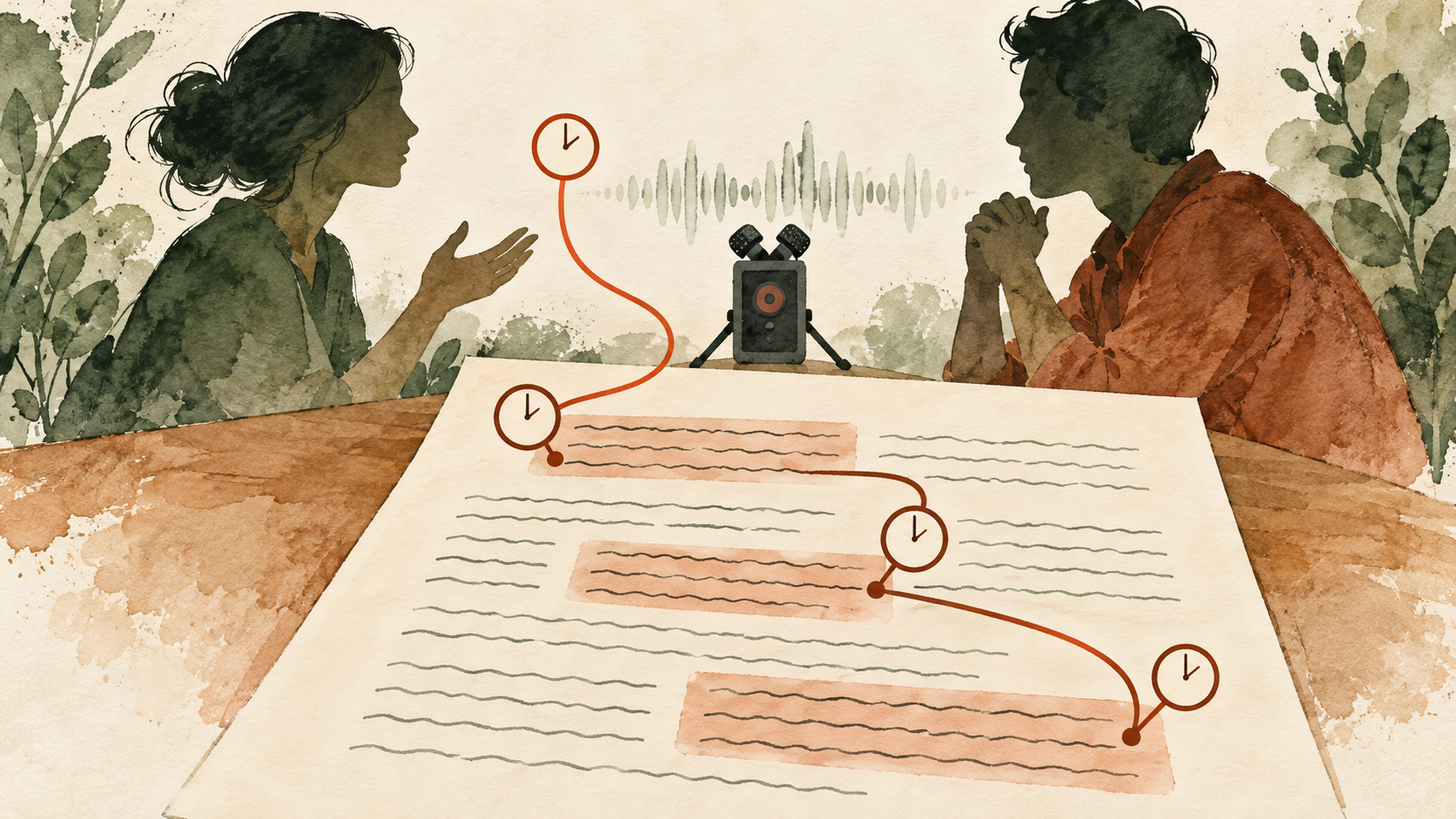
The quickest dependable method is to open the recording beside the transcript, locate the beginning of each meaningful speaker turn, and insert its elapsed time before the speaker label. If the transcript already contains automatic timestamps, check those markers instead of replacing them simply for a tidier appearance. Decide first whether the reader needs a place to start listening or the boundaries of a particular quotation. A start marker works well for browsing an interview. A quote being used in a product decision often needs an end point as well, because the participant may qualify the statement immediately afterward. The document should tell readers which convention it follows. Otherwise two equally plausible interpretations of a marker can send a reviewer to different passages, even when the number itself has been copied correctly. A timestamp earns its place by reducing the work needed to find the underlying evidence.
Consider a hypothetical forty-two-minute customer interview about an account setup process. A researcher wants to share the participant's explanation of an approval delay, while keeping the rest of the session available for internal analysis. The researcher also has a six-minute excerpt beginning at 12:30 in the full recording. Both files contain the same answer, but their players show different positions. An answer beginning at 02:15 in that excerpt begins at 14:45 in the full interview, provided the excerpt has no internal cuts or speed changes. This simple example introduces the reference recording, the most useful decision to settle before typing any times. The following sections return to this fictional session to examine practical choices. The example supplies arithmetic and editorial tradeoffs, rather than a claim about a real customer's recording or an observed product result.
References: W3C: Transcribing audio to text; W3C: Media fragment time references.
Keep timing, wording, and speaker identity separate
A transcript can have accurate words and poor timing. It can also land precisely on a sentence that has been attributed to the wrong person. Treat word accuracy, temporal alignment, and speaker attribution as separate review questions. The distinction changes how you fix a problem. Moving a marker will not correct an omitted negative. Correcting a participant's name will not resolve an excerpt offset. Splitting a long paragraph may improve readability while leaving its original start time entirely valid. Before editing, describe the observed failure in ordinary terms: the link lands after the answer starts; the marker belongs to a different file; the respondent's final sentence appears under the interviewer. These descriptions give the next action a purpose. They also prevent a clean-looking document from being mistaken for a fully checked one merely because every paragraph begins with a timestamp.
In the hypothetical session, the researcher might finish a wording review before a colleague adds navigation markers. That division of work is reasonable if the colleague knows which text is still provisional. A disputed product name can remain flagged while the surrounding turn receives a reliable start time. Conversely, a beautifully corrected quotation should not enter the findings deck with an unchecked reference copied from an earlier export. Keep short review notes beside unresolved passages and clear them independently. One completed review does not complete the others. For a small project, separate comments are enough; a larger research repository may use dedicated status fields. Either approach should let someone answer a practical question without reopening the entire interview: has this quote's wording been heard, has its speaker been confirmed, and has its link been followed in the file that recipients will actually receive?
References: Microsoft: Recognized offsets and durations; Praat: Annotation tiers.
1. Choose a timing convention before adding markers
1.1 Identify the recording and the clock
Record the session identifier, media filename, version, time origin, display convention, channel context, and relationship to excerpts before doing detailed timing work. These details can fit into a short document note. The important point is that 14:45 means fourteen minutes and forty-five seconds into a named recording, rather than a time of day or a position in an unspecified clip. Use hours when the interview runs beyond an hour, or whenever a consistent hours-minutes-seconds display reduces ambiguity across a study. A video editor may show frames after the seconds field, while an audio player may show decimals. Do not copy one display into a document whose readers will interpret it as the other. A small notation decision becomes consequential when someone tries to find a brief correction, a quiet reply, or the beginning of an interrupted sentence.
For the running example, the researcher can define all ordinary transcript markers against the full forty-two-minute interview. The excerpt remains a separate derivative with its own filename and a recorded start position. If a colleague receives only the excerpt, that colleague also needs a clip-relative reference; an original-only marker of 14:45 is unusable in a six-minute player. Keeping both is sensible when both files circulate, as long as their labels make the distinction explicit. A time belongs to a particular timeline. A short source identifier printed beside a quotation is often more durable than a filename buried in an email thread. If the recording is later moved to a different folder, the research team can update its location while retaining the identifier. A number without this association becomes harder to interpret each time the material is copied.
References: W3C: Normal Play Time; Library of Congress: Organizing digital audio.
1.2 Match the marker density to the research task
Choose among turn markers, paragraph markers, topic markers, quote ranges, and word timing according to what readers will do. Turn markers are a useful default for a conversational interview because the change of speaker already provides a meaningful boundary. A participant's long answer may need another marker when its subject changes, especially if the team expects to revisit a detail in the middle. Topic markers offer a quick overview but can be too coarse for checking an exact claim. Quote ranges identify a selected span. Word timing supports close synchronization and editing, at the cost of more boundaries to inspect. There is no benefit in displaying every available timestamp if the resulting document becomes exhausting to read. Keep detailed timing in an underlying file when necessary and show the reader the amount that helps navigation.
Imagine the participant spends four minutes describing the approval delay, briefly detours into an unrelated account issue, and then returns to the original story. A single marker at the start of the answer makes the passage findable, but still leaves a reviewer searching within it. Adding markers at the detour and return can make the document easier to use without placing a time before every sentence. If the researcher later selects a twelve-second quotation, that extract receives its own checked range. The browsing transcript and the quotation reference now serve different needs. This is an editorial choice based on the structure of the hypothetical conversation, rather than a universal thirty-second or one-minute rule. A fixed interval can be useful for a preliminary pass, but it should not override obvious conversational boundaries or create the impression that an unreviewed point is an exact speech onset.
References: W3C: Transcript timestamp granularity; Audacity: Labels for points and regions.
1.3 Distinguish a start marker from a timed interval
A start marker answers where to begin looking. A start-and-end interval describes the span associated with text or a selected event. A caption cue has playback behavior, while a research reference may simply guide a colleague. Keep precision proportional to the decision. Whole seconds can be sufficient for browsing a long answer; an editor preparing a short clip may need finer boundaries. Extra decimal places do not establish that someone checked those boundaries. If the first syllable begins between displayed seconds, choose a documented convention and apply it consistently. For navigation, a slight lead-in may be more useful than landing halfway through a consonant. For a selected quotation, record the actual speech span separately from any surrounding playback margin. The difference makes a later clip request much easier to interpret.
Suppose the fictional answer begins at 14:45.3 and finishes at 15:02.1. A readable transcript might show 14:45 before the participant's turn, while the review notes retain the more detailed interval. A reviewer may want to begin playback a second earlier to hear the question ending. That earlier listening position is not the answer's acoustic start. If the two are stored as though they were interchangeable, another person may trim the quote incorrectly or conclude that the marker is inaccurate. Listening context and quotation boundaries serve different purposes. Keep them distinguishable even when the document uses only one visible marker. The same care applies at the end: a pause may belong to the selected experience, while a following qualification may change its meaning. Timing provides a route to that judgment; it cannot decide the editorial boundary by itself.
References: W3C: WebVTT cue intervals; Library of Congress: SubRip subtitle structure.
2. Add timestamps to the transcript you already have
2.1 Start from existing timing when it matches the source
Before rebuilding timestamps manually, examine the transcript's existing markers, associated recording, segment boundaries, speaker labels, and export options. A text file may have lost timing that remains available in its original project or another export. Recovering that information is usually preferable to guessing new positions from paragraph length. Open several marked passages in the actual recording, including a short answer and a late passage, to establish whether the timing is relevant. If the markers are broadly useful but some boundaries are poor, retain the useful parts and correct the exceptions. If they refer to an unknown or edited file, solve that identity problem before moving numbers around. A timestamp collection with no identifiable media reference is an incomplete starting point, however regular its intervals appear. If you are importing structured timing data, inspect its units before formatting it for readers. Some systems return seconds, some milliseconds, and some provider-specific units. Microsoft documents offsets in ticks representing one ten-millionth of a second; those values cannot be pasted directly into a seconds field. A value interpreted in the wrong unit can send every reference beyond the end of the interview. Preserve the original timing field during conversion and check a known utterance afterward. This small import check is particularly useful when a document has plausible text but its generated links all behave strangely.
WhisperAITranscribe is an audio and video transcription tool whose current homepage describes transcripts with timestamps and speaker labels. That makes its output one possible starting point for this workflow. Check the timing and export actually available for your recording and account before deciding how to deliver the final document. A visible product description does not establish that every word boundary in a particular interview is correct, or that a chosen research repository will preserve the export unchanged. If the current result supplies suitable markers, review and reuse them. If you are working from plain text alone, add navigation manually or use a separate alignment workflow that matches your material. The underlying requirement remains the same: preserve a dependable connection between this transcript and the recording you intend other people to hear.
References: Microsoft: Speech timing at utterance and word levels; W3C: From transcription to a usable transcript.
2.2 Add manual markers with a player or label track
For a manual pass, keep the transcript, playback controls, time display, speaker turn, and marker convention visible enough to compare without losing your place. Listen for the beginning of a turn, pause, inspect the position, and insert the marker beside the appropriate text. Where the boundary is difficult, replay a small region rather than repeatedly starting the whole answer. An audio editor with point and region labels offers a useful alternative to typing times directly into prose: place a label on the timeline, name it briefly, and later transfer its position to the document. Audacity documents both point labels and labels spanning a region. The advantage is practical, since the marker stays near the sound while you decide what it describes. Keep long interview text in the transcript rather than trying to fit every paragraph into a tiny label.
During the hypothetical approval discussion, the researcher can first mark the interviewer's question, the participant's answer, and the later return from the detour. On a second pass, the researcher adds a range around the quotation selected for analysis. This two-pass method prevents the initial timing pass from becoming an endless search for perfect boundaries before the document has any usable navigation. It also leaves room to discover that an apparently continuous paragraph actually contains two separate answers. When transferring positions, copy the displayed source time rather than estimating from how long you have been listening. Pausing, rewinding, and changing playback rate make elapsed working time irrelevant. After pasting a marker, immediately check the adjacent speaker label. A correct time placed beside the next paragraph is a small clerical error with the same practical effect as a poorly estimated time.
References: Audacity: Creating labels at playback positions; Audacity: Playback and looping regions.
2.3 Use forced alignment when a faithful transcript lacks timing
Forced alignment estimates where supplied words occur in a recording. Its inputs differ from a fresh recognition task: you already provide the text, and the aligner attempts to associate it with the sound. Prepare matching audio, speech-faithful text, and appropriate language resources before relying on the output. Montreal Forced Aligner, for example, documents paired sound and transcript files, pronunciation resources, and interval-based formats. This is useful background for understanding the workflow, rather than a requirement to adopt a particular application. The important boundary is that an alignment system can produce timings for the text it receives without establishing that the text is an accurate account of what was said. A polished summary, translated paragraph, or reconstructed sentence is a poor substitute for the actual spoken wording when exact word placement matters.
The interview researcher may have edited the participant's hesitant explanation into a smoother paragraph for a report. That report paragraph should not quietly replace the speech-faithful transcript used for alignment. Keep the working transcript and the report extract separate. Resolve substantial omissions and reordered phrases in the working text first, then inspect the aligned result at the passages the team needs. A product name absent from a pronunciation resource, a phrase spoken in another language, or two people talking together may require extra attention. If the task is simply to revisit a few answers, manually checked turn markers may be more economical than preparing a detailed alignment project. Choose the smaller method that meets the actual need. Detailed output becomes worthwhile when it supports an editing or playback requirement that a handful of reliable markers cannot satisfy.
References: Montreal Forced Aligner: Corpus formats and text preparation; Montreal Forced Aligner: Acoustic alignment workflow.
3. Preserve the relationship between clips and the full interview
3.1 Calculate an excerpt offset against a named original
An unedited excerpt usually permits a simple constant offset between its local time and the full recording. Add the excerpt's source start position to the clip-relative position to recover the original reference. In the running example, the excerpt starts at 12:30, or 750 seconds. The selected answer starts 02:15 into the excerpt, or 135 seconds. Adding them gives 885 seconds, which is 14:45 in the original. Work in seconds during the calculation and format the result afterward; this avoids treating 2:15 as 2.15 minutes. Apply the same offset to both boundaries of a quote range. A clip interval from 02:15 to 02:32 therefore corresponds to 14:45 to 15:02 in the full interview. These numbers describe the hypothetical files, not a universal offset that a tool can infer from a transcript alone.
Check the relationship at two recognizably different places before applying it across an excerpt. The participant's first substantive answer and a later question can provide useful anchors when both occur in the clip and original. If the same addition works at both, there is evidence for the proposed mapping over that span. If the opening agrees but the ending does not, investigate an edit, speed change, missing section, or different source version. Do not force the arithmetic to fit by repeatedly adjusting individual markers without understanding the pattern. For a handoff, preserve the excerpt's original start position beside its filename. A short note such as “continuous excerpt, source begins at 12:30” gives another person something testable. It also allows the team to recreate the relationship if a sharing link changes or an exported text file loses the project metadata that originally described it.
References: W3C: Temporal fragments and time origins; MDN: Playback time in seconds.
3.2 Treat removed silence as an edit to the timeline
Removing a pause changes the time of everything that follows it. An initial trim creates one offset; internal cuts create several mapping regions. Suppose the fictional six-minute excerpt loses thirty seconds of waiting time between clip positions 01:00 and 01:30. The answer formerly at 02:15 now starts at 01:45 in the shortened excerpt. Its original position remains 14:45. Simply adding the excerpt's original 12:30 start to the new 01:45 position gives 14:15, which is wrong. After that cut, the calculation also needs the thirty removed seconds. Before the cut, it does not. This is why a single shift cannot repair an interview that has had multiple pauses, interruptions, or off-topic sections removed. The remaining speech may sound continuous while its connection to the full source has become more complicated.
Keep an uncut reference copy when the purpose is analysis of the full session. A shorter listening version can be useful, but label it as an edited derivative and maintain its own markers or an edit map. If the team cannot preserve a dependable mapping, cite the full source directly when presenting a finding. Similar care applies to removing sensitive speech: replacing a passage with equal-duration silence preserves later positions, while deleting its duration shifts them. Those approaches have different disclosure and listening consequences, so choose deliberately within the project's handling rules. A recipient should be able to tell whether a gap represents original silence, an omitted passage, or an edit made for circulation. The timestamp should not imply an uninterrupted exchange when the shared file actually joins speech from separated moments in the interview.
References: Audacity: Keeping audio and labels synchronized; Audacity: Importing and exporting timing labels.
3.3 Diagnose constant offsets, drift, and local errors differently
Compare several anchors, inspect the shape of the error, and choose a repair that matches it. If every checked marker is four seconds late, a constant offset is a plausible explanation. If the error grows across the file, investigate differing durations or a time transformation. If early and late anchors agree but one answer is misplaced, inspect that local segment, its text, and any boundary edits. These patterns guide investigation; they do not uniquely identify the cause. A wrong recording version can imitate more than one pattern. Record what you hear and compare durations before deciding that a model, export format, or player caused the problem. The right repair might be a global shift, a piecewise remapping, a regenerated alignment, or a few manual corrections. Applying the same remedy to every pattern risks fixing one passage while damaging many others. Two anchors can help distinguish a shift from a proportional duration change. For example, if a working copy places source positions 10:00 and 20:00 at 08:00 and 16:00, the observed positions fit a duration ratio of 0.8 across that span. That arithmetic suggests a hypothesis to test; it does not establish that every intervening second underwent the same transformation. A cut elsewhere could produce coincidental agreement. Compare additional anchors and inspect how the working copy was made before applying a proportional correction. When the transformation is unknown, preserving direct references to the original may be safer and quicker than reconstructing it from a few landmarks.
If a researcher accelerates playback to listen efficiently, references should still describe the source media's timeline rather than the time spent listening. Rendering a permanently shortened audio file is a different operation: that file now has another duration and needs an appropriate mapping. Audacity's tempo and speed effects illustrate this difference by changing the length of a selection. A team using WhisperAITranscribe output should make the same distinction when comparing it with a later working copy. Identify which file supplied the timing before diagnosing drift. In the hypothetical interview, an answer that moves because thirty seconds were deleted requires an edit-aware correction; an answer that merely plays faster in a reviewer’s player does not automatically require rewriting every source timestamp. Keeping these cases separate prevents a convenient listening preference from becoming an unnecessary transcript revision.
References: Audacity: Tempo changes alter duration; Audacity: Speed and pitch changes.
4. Review the timing where interpretation depends on it
4.1 Check the start, the end, and the surrounding question
Review a selected quotation for audible onset, complete ending, speaker identity, and surrounding context. Start playback before the marked passage and continue beyond its end. That margin helps reveal whether the participant is answering a narrow question, correcting an earlier statement, or describing somebody else's experience. A quote may be timed correctly yet support a different conclusion when the next sentence is heard. In the fictional approval discussion, an apparent criticism of the product could turn out to concern an employer's internal approval process. The timestamp should make that distinction easier to inspect. For a finding that will influence a decision, listen to the complete answer and the question that prompted it, even if the final presentation contains only a short extract. A precise interval is useful evidence management; it is not an interpretation of the participant's intent.
Choose a practical acceptance condition before reviewing a batch. For an ordinary navigation marker, the reviewer might require that playback reaches the relevant turn without manual searching and preserves its opening words. A quotation destined for clipping needs boundaries that suit the actual editing task. These are project decisions, rather than universal numerical tolerances. Keep the acceptance condition visible to collaborators so that “timing checked” means something shared. If a reviewer moves a start earlier to provide context, note whether the speech boundary also changed or only the listening link did. For disputed wording, keep the listening region wide enough to hear the phrase naturally; looping a single syllable can remove the context that helps identify it. An efficient review process narrows uncertainty while retaining the pieces of the conversation necessary to understand the sound.
References: Audacity: Listening around a selection; W3C: Accurate transcription and meaningful speech.
4.2 Give important and difficult passages a closer pass
In a WhisperAITranscribe-based interview workflow, prioritize decision-bearing quotes, numbers, negatives, corrections, overlapping speech, and uncertain boundaries for close review. The same priorities apply to transcripts produced elsewhere. These passages can change a conclusion even when most of the surrounding text is routine. A brief “not” may reverse an evaluation; a late correction may replace an earlier estimate; an interruption may move a sentence under the wrong speaker. Use the timing to reach these passages, then check the sound and context rather than trusting the marker as evidence of accuracy. Where a participant gives a long, uninterrupted description, a broadly reliable turn start may suffice for navigation. Where the interviewer offers a suggestion and the participant quietly disagrees, the exact exchange deserves more attention than its length would suggest.
Sampling can reveal problems in an automatic timing pass, but its result should be described at the level actually checked. Listening to ten markers does not establish the accuracy of every remaining word boundary. A useful first inspection covers the beginning, middle, and end, along with speaker changes and any known editing joins. If errors appear, extend the review around the affected pattern. All quotations used in a finding should receive their own check, even if the broader sample looked good. Keep a short account of coverage so that a colleague knows whether the entire transcript was reviewed or only selected references. This prevents a common handoff misunderstanding: one person means “the main quotes work,” while another assumes “all timestamps are exact.” The distinction matters most when the document later gets reused for a task that requires finer timing than the original research team needed.
4.3 Preserve overlaps, uncertainty, and meaningful pauses
When revising WhisperAITranscribe output, keep simultaneous speech, uncertain wording, meaningful pauses, and editorial additions distinguishable. Interview text does not always unfold as a neat sequence of non-overlapping turns. Two people may begin together, and a participant may answer while the interviewer is still finishing the question. A research transcript can indicate that overlap without pretending to know word boundaries that nobody has established. If fine timing matters, a tier-based annotation tool can represent separate speakers across the same span. If it does not, a clear overlap note and a checked region may be sufficient. An inaudible word should remain uncertain until evidence resolves it; attaching a precise timestamp gives a reviewer a way to investigate, rather than a reason to choose a plausible replacement.
The running interview might include a pause before the participant rejects a proposed explanation. Whether that hesitation belongs in an analysis depends on the research question and on what can reasonably be inferred. Preserve the relevant sound and describe the pause cautiously instead of treating its length as proof of emotion. Similarly, an analyst's explanation of a screen event should be marked as an addition, not inserted as though the participant spoke it. If the interview includes video, a time reference can connect the speech to visible behavior, but it does not make the audio transcript a full description of the screen. Keep those observation notes separate enough that a reader can distinguish what was heard, what was seen, and what the researcher concluded. Good timing supports this distinction by allowing someone else to revisit the same interval.
References: Praat: Separate interval and point tiers; Montreal Forced Aligner: Speaker tiers and intervals.
5. Build a transcript that remains usable after handoff
5.1 Separate the reading copy from subtitle delivery
A reading transcript, a subtitle file, and an interactive transcript have different delivery requirements. For research reading, clear speaker paragraphs and selective timestamps may be enough. A subtitle file associates text with timed cues and depends on a compatible player. An interactive transcript adds navigation behavior that the document format alone does not supply. SRT uses a familiar numbered-cue structure with start and end positions, while WebVTT defines timed text for web media use. Neither extension guarantees that a particular research repository will preserve every label, overlap, annotation, or formatting choice on import. Decide which destination matters before choosing an export. Keep a rich working version if the delivery format cannot carry all the information the analysis needs. The file that is easiest to attach to an email may not be the right long-term record of the interview.
For the hypothetical study, the research team could share a readable document internally and prepare a separate timed file only if a playback workflow requires it. Reopen both against the same source. A paragraph that spans several short subtitle cues can remain one readable answer, while the subtitle version retains its individual playback intervals. This avoids forcing researchers to read a fragmented caption layout simply because it contains detailed timing. If a quotation is moved into a findings deck, bring its source identifier and checked reference with it. If a platform strips speaker labels or changes line breaks, inspect whether the meaning is still clear after import. Preserve meaningful overlap and uncertainty in whatever form the destination supports. Where that is impossible, retain the authoritative working copy and explain the delivery copy's limits to the people who will use it. After any conversion, inspect more than the first caption. Look for a late cue, a cue containing punctuation or accented text, and one with a speaker change. Confirm that the destination interpreted the timing fields as times rather than ordinary text, and that start and end positions remain associated with the intended words. A valid-looking extension is only a label on a file. If a recipient needs a different format, convert a copy and retain the reviewed source so that formatting repairs do not become an accidental rewrite of the evidence.
References: Library of Congress: SRT format; MDN: Web subtitle tracks.
5.2 Treat clickable timestamps as a feature to test
A printed time and a playback link are different deliverables. The link needs a working destination that interprets the requested position and permits the recipient to access the media. Web media can use time fragments, and a player can seek through its playback interface, but implementation and hosting behavior still matter. Test a link in the actual environment where a colleague will open it. Confirm which recording appears, where playback begins, and whether the intended account can reach it. Do not assume that a timestamp becomes clickable because a text editor colors it blue, or that a copied link will retain the private permissions of the person who created it. A useful fallback is a visible source identifier and time, allowing the reader to navigate manually if the link fails.
When moving a WhisperAITranscribe transcript into a separate repository, test the repository's behavior rather than assuming it inherits the transcription workspace's controls. This is a document handoff, and any navigation needs to survive that handoff explicitly. Try an early marker, a late marker, and the selected quote in the destination copy. For the fictional excerpt, verify that a clip-relative link opens the excerpt at 02:15 and that an original-relative link opens the full interview at 14:45. Those are separate tests. A link that opens the correct interview at its beginning still leaves the reviewer searching. A link that opens at the right number in the wrong derivative can be more misleading because it appears to work. Keep permissions narrow enough for the intended audience while making the required evidence available through an approved route.
References: W3C: Temporal media fragments; MDN: Seeking with currentTime.
5.3 Make future revisions easier to compare
Keep source identity, stable segment identifiers, timing changes, and review status together as the study grows. A team may correct the wording in a WhisperAITranscribe transcript, then receive a newly processed version weeks later. Compare the versions before replacing the document that existing findings cite. A revised paragraph may contain the same underlying speech while its segment boundaries have changed. An older comment attached only to paragraph seventeen can therefore become ambiguous. Stable identifiers chosen by the research team can provide continuity across these revisions. WhisperAITranscribe need not supply a particular repository feature for this practice to be useful: the team can maintain the association in its own working records. The essential requirement is that a correction does not silently sever references already used in decisions, reports, or follow-up research.
Before scaling a WhisperAITranscribe-based workflow, test it on a small, varied set of interviews that reflects the team's actual work. Include a continuous conversation, an edited excerpt, a recording with overlapping speech, and a session containing unfamiliar terminology if those situations occur in the study. These are proposed evaluation cases, rather than claims about measured performance. Compare how long reviewers spend finding a quote, whether they reach the correct source, and which information is lost during export or import. The results can justify a change in marker density or delivery format. A future workflow may automate more of the association between recording, text, and findings, but its value should be judged through these observable tasks. More timestamps are useful only when they reduce confusion or support a finer operation that people actually need to perform.
6. Conclusion
6.1 Use the simplest timing that supports the decision
A useful timestamping workflow begins with a named source, uses a clear time origin, chooses appropriate granularity, preserves excerpt relationships, checks important boundaries, and tests the final handoff. WhisperAITranscribe can provide a starting transcript for this process, while the research team's review establishes how confidently particular references can be used. For most customer interview analysis, well-placed turn markers are easier to read than a dense display of word timings. Add finer ranges when preparing a quotation, investigating an ambiguous exchange, or supporting an editing task. The goal is a dependable route back to the conversation. It is reasonable to maintain more detailed timing underneath a simpler reading copy, provided the two stay associated with the same source and the visible document explains what its markers mean.
The running example shows why the source relationship deserves as much attention as the numbers. The answer at 02:15 in an uncut excerpt belongs at 14:45 in the full session. Delete thirty seconds before that answer and its new clip position becomes 01:45, while its original position remains unchanged. Nobody can repair that relationship by adding increasingly precise decimal places. The team needs the edit history or a fresh comparison with the source. The same logic applies when a finding is quoted in a report: retain enough identifying information to reconstruct the route, even if the report shows only a short excerpt. A modest convention followed consistently can outlast a complicated export that nobody understands. Choose a system that another colleague can operate when the original researcher is unavailable to explain it.
6.2 Put the process into four practical actions
Step 1: name the reference recording and decide whether markers identify turn starts or quote intervals. Step 2: obtain or open the transcript, using WhisperAITranscribe where it fits the recording and the available workflow, then inspect existing timing before adding more. Step 3: correct offsets, local boundaries, speaker attribution, and the passages that matter to the analysis by listening against the chosen source. Step 4: reopen the delivered document or timed file, follow its references, and confirm that a recipient can reach the appropriate speech. Keep the source-to-text connection intact through all four actions. This sequence works whether the initial timing came from a transcription service, a manual label track, or a separate aligner. The method changes with the inputs; the required connection between a quoted passage and its recording does not.
A researcher working alone can apply those actions with a player, a text document, and a short source note. A team can divide them among transcript editing, timing review, and publication of findings. In either arrangement, make the handoffs concrete. Pass along the recording identifier, the current transcript version, the marker convention, and any unresolved passages. If only selected quotes were checked, say which ones; if the entire interview was reviewed, retain that record. Do not let an export overwrite become the only indication that a revision occurred. A brief change note identifying an offset correction or a replaced source can prevent later users from combining incompatible versions. When the workflow becomes burdensome, simplify the visible format before dropping the information that lets people find the evidence. Readability and traceability can support each other when the document is designed around actual review tasks.
6.3 Make the next listen easy
The best test is ordinary: give a colleague a quotation and its reference, then see whether that person can reach the intended exchange without asking which file to open or where to begin. Findability, context, version clarity, and honest uncertainty make that task manageable. A transcript from WhisperAITranscribe becomes more useful when its markers are checked against the recording and carried carefully into the team's working documents. Keep the original timeline available when excerpts or edited copies circulate, and retain finer intervals only where they serve a real purpose. If an important quote still lands awkwardly or loses its qualification, resolve that passage before sharing the finding. The reason to add timestamps is to make another listen possible and productive. Whether you begin with WhisperAITranscribe or an existing text file, finish with references that a reader can understand, follow, and assess alongside the speech itself.
References: W3C: Transcripts and navigation; Library of Congress: Preserving identifiable audio.