
Introduction
Copy the saved recording through the correct device function
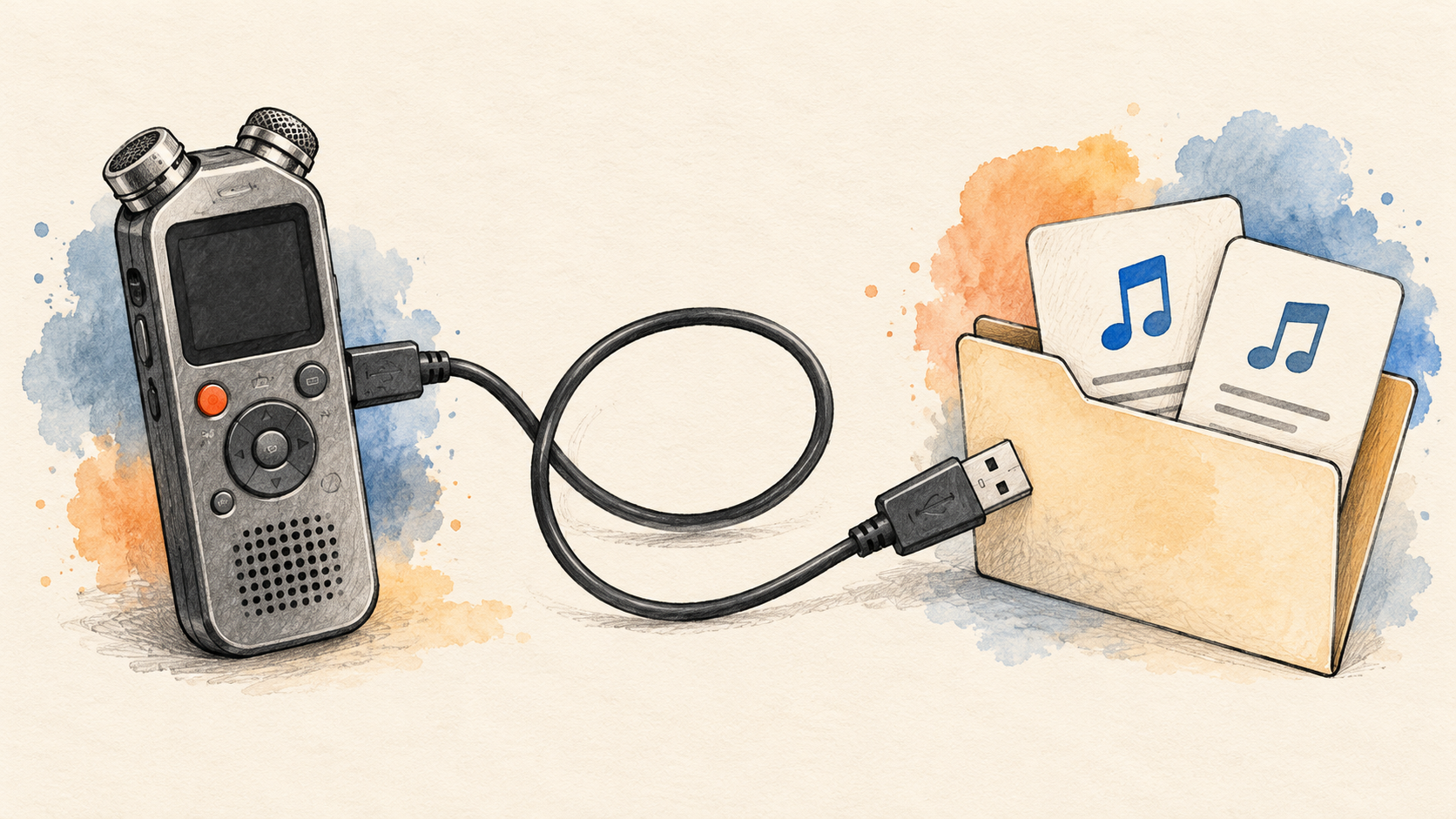
A recorder can connect to a computer for several reasons. It may receive power, operate as a USB microphone, or expose saved files through a file-transfer function. The cable's presence does not explain which of those functions is active. Start with the actual model and its recorded source. Sony's ICD-PX470 guide describes copying files or folders from its recorder or memory-card volume to the computer. The ZOOM H1essential manual separately describes USB microphone operation and a File Transfer route. These are examples of the distinction, not a universal button sequence for every recorder. Use the manual that matches the device, locate the selected session, and obtain its saved files. The next transcription stage needs the recording that was captured, rather than a new live microphone stream that happens to originate from the same piece of hardware.
Retain a complete source copy before renaming, converting, trimming, or joining anything. A session folder may contain several sequential parts or related recordings, and the convenient file visible on the recorder's latest-recording screen may not be the entire source needed for the task. Define the selected session and preserve enough folder context to reconnect its parts. For a short one-file recording, a source label and a verified copy may be sufficient. For a long interview or several devices, retain a simple inventory of the files, their order, and their roles. A recipient should be able to identify which original supplied a passage and which working transformation changed its timing or format. That preparation prevents a familiar filename or a plausible combined duration from becoming an unsupported substitute for the actual source relationship.
References: Sony recorder file-copy guidance, Library of Congress audio preservation.
A small file experiment with a practical consequence
The local demonstration uses two authored integer-PCM tone files: part A lasts two seconds and part B lasts three. Both have one channel, two-byte samples, and a rate of 16000 sample frames per second. They are independently generated controls, with no recorded speech or physical recorder behind them. Seven actual files support the comparison, including separate parts, a naive byte append, a header-aware join, a reversed join, and two sources with incompatible parameters. The observed result is specific: the Python reader reports two seconds for the naive appended file and five for the correctly wrapped combination. The reversed combination also reports five seconds but has different audio-frame content. These checks address container structure, selected parameters, and the authored order. They do not test a hardware transfer, a real recorder's split files, a resampler, or a transcription service.
That difference between duration and order matters to a transcript. A combined file can be technically readable and contain the expected total length while placing an answer before its question. A source with several parts can also appear longer at the file-byte level while the chosen reader sees only the first recording. The workflow below keeps the decisions separate: obtain the saved files, identify how they relate, decide whether preparation is needed, then review the actual output. Keeping parts separate can be entirely reasonable when the receiving workflow supports the intended process. Joining is useful only when the task needs it and the result is checked. The demonstration explains one reason a simple file operation is not automatically a valid media operation, while the device manuals guide how the original recordings should be obtained in the first place.
References: Python 3.12 WAV reader and writer, W3C transcribing guidance.
1. Locate the Session and Its Stored Files
1.1 Identify the device and recording location
Establish the recorder model, selected storage, session identity, recorded folder, file set, source order, and required coverage. A recorder can expose internal memory and a removable card through different locations. Sony's ICD-PX470 documentation gives a concrete example: its built-in memory and microSD storage have different folder structures, and the device lets the user choose a recording destination. That is a reason to inspect the actual selected storage rather than assume the first visible volume contains the requested session. Use the model's documented file location and preserve enough folder context for the transfer. A directory containing music or installer files is not interchangeable with the recorder's saved conversations. Copy the intended source set to the computer, then verify its identity before using file count or folder size as evidence that the task's required material has arrived.
A source inventory can remain simple. Identify the session, the original filenames, any related parts, and where the copied originals are retained. If the recorder clock or filename convention is relevant, establish what it actually tells the project rather than treat a convenient label as independent proof of the recording date. A single-device session may need only one clear reference. Several devices or repeated interviews need identities that remain distinct when files are copied into a common workspace. Two devices can legitimately produce similar or identical basenames. Preserve that distinction before moving everything into one folder that might overwrite or obscure the selected sources. The recipient should be able to return from a transcript passage to its recording without relying on the sender's memory of which volume or directory happened to be open during the copy. Also distinguish copying recordings out of the device from transferring computer files back into it. A manual's rules about where the recorder can find imported music do not mean that recorded speech must be moved into that music folder before export. For the Sony example, use the selected recorded source and the documented outward copy route. Preserve the source arrangement while preparing the computer copy instead of reorganizing the original storage to satisfy an unrelated inbound-file instruction.
References: Sony recording-folder selection, Sony folder and file structure.
1.2 Distinguish transfer mode from USB microphone mode
Check the connection purpose, device mode, data-capable cable, selected host type, and visible saved files. The H1essential manual describes a USB File Transfer route and a separate USB microphone function. It also specifies a cable that supports data transfer. Those details make the practical distinction clear: a working power connection or live input does not itself establish that yesterday's saved recording has been copied. Follow the actual model's supported procedure rather than try to obtain old files by recording the microphone again. Re-recording playback creates another capture with its own conditions; copying the saved file preserves a different relationship to the original source. The appropriate route depends on the actual task, but a file-transfer request should end with the selected saved artifact, not merely with evidence that the hardware can communicate in some other mode.
If the computer does not detect the expected storage, investigate that connection layer before changing transcription settings. Sony's model-specific troubleshooting guidance discusses reconnecting, trying a suitable direct connection, and checking the computer or port conditions. Use the relevant guidance for the actual recorder instead of assuming every device exposes the same drive name or menu. Once the selected files are visible and readable, complete the copy and keep the source reference. If a cable supports only the observed power function, another application cannot infer or recreate the missing media transfer from that fact. Similarly, a microphone listed in a recording application does not tell the reviewer which storage folder contains the intended session. Keep those observations precise so the next action addresses the unresolved connection or file-selection issue rather than repeat an unrelated recognition attempt.
References: ZOOM H1essential operation manual, Sony recorder connection troubleshooting.
1.3 Preserve related files before selecting a working copy
Separate sequential parts, parallel recordings, working exports, supporting information, and review derivatives. Similar filenames do not establish that every item should be joined. One set may represent a session divided across files, while another may contain alternative or simultaneous recordings. The actual model, recording mode, and source context should determine the relationship. A long-recording example appears in the H1essential manual, which describes automatic continuation into a new file when its documented file-size boundary is reached. That model-specific behavior is different from the user intentionally stopping and starting another take. Preserve the originals and their context before deciding how they should enter the transcription workflow. A convenient larger file is useful only when its content and order represent the intended source rather than a combination assembled from guesses about neighboring filenames.
Keep the selection rule with the copied material. If the task needs the complete session, identify all relevant parts and any known gap. If it needs one take or a short passage, state which source supplies it. A recording that begins with the expected introduction can still lack a later continuation file. Conversely, a folder containing several related files may include material outside the requested scope. Counting everything as missing or complete without identifying those roles makes the inventory less useful. Preserve unavailable items as specific gaps rather than silently remove them from the selected set. That lets the obtained material support a bounded task while making clear what a broader claim would still require. The eventual transcript should describe the coverage that was actually processed and reviewed, not all material that might once have existed on the device. The H1essential example documents a new file when its recording reaches a two-gigabyte boundary, with continuity described for that feature. That is a device-specific rule, not a universal statement that every WAV file or every recorder has the same boundary. Use the actual session files and model guidance to establish what was captured. A source split caused by a documented continuation feature needs a different interpretation from a deliberate stop, a new take, or an unexplained missing interval.
References: ZOOM H1essential operation manual, Library of Congress audio preservation.
2. Copy the Source Before Preparing It
2.1 Obtain a verified computer copy
Preserve the selected device source, copy operation, local destination, original filenames, and received recording. Sony's file-copy guide describes transferring files or folders from the recorder or card volume to the computer. Use the applicable model procedure and complete its supported disconnection steps after the transfer. Then inspect the local copy that will actually be used. Confirm recognizable content and relevant beginnings and endings before assuming that the right session was obtained. A completed copy action is useful evidence of a technical operation; the recipient still needs the intended recording and coverage. Keep copied originals intact while preparing another version. That provides a stable comparison point if a later conversion, clipping operation, or combined transcript appears to omit a passage or attach a timestamp to the wrong source.
WhisperAITranscribe is an audio and video transcription tool that may be used after a suitable recording has been obtained and the available input conditions checked. This guide does not establish native recorder integration or test a hardware file through the service. The practical starting point is the usable media copy. If the original format is suitable for the current workflow, avoid another capture or conversion merely because a different filename looks more convenient. If preparation is required, preserve the derivation and inspect the output before relying on its words. Keep any transcript timing tied to the actual working source, particularly when a session spans several files. The tool can produce text from the inputs it receives, while the source inventory explains how those inputs relate to the recording session the recipient intends to review.
References: Sony recorder file-copy guidance, W3C transcribing guidance.
2.2 Inspect encoding before choosing a conversion
A WAV extension leaves several encoding properties, channel arrangements, sample rates, bit-depth choices, and receiver requirements unresolved. The H1essential manual provides a concrete case: its recording format is 32-bit float, and it documents exports at other bit depths for applications that need them. That does not establish what every recorder produces or which exact encoding a particular transcription workflow accepts. Inspect the actual file and the receiving requirement. The local demonstration uses integer 16-bit PCM, not an H1essential file or a floating-point conversion. Python's documented WAV support for the version used also has a PCM scope. Its success with the authored controls should therefore not be presented as proof that it can decode every file with the same extension. Let the actual source type and required preparation determine the supported route.
Choose a conversion only when it solves a real input requirement. Retain the original, label the derived file, and verify the result. Changing a bit depth does not by itself improve the interpretation of a proper name or recover words that were never captured intelligibly. A level adjustment also serves a different purpose from format compatibility. If the device offers several export settings, use its current manual to understand what they change and where the output is stored. A new file's successful creation should not be confused with verification that the intended speech, channels, and coverage were preserved. For a recipient reviewing a quotation, a simpler unaltered source may be preferable when the workflow can use it. For another task, a supported derivative may be appropriate, provided the relationship to the obtained original remains clear.
References: ZOOM H1essential operation manual, Python 3.12 WAV reader and writer.
2.3 Keep device exports and original recordings distinguishable
Track the source file, exported derivative, export settings, and output location when a device prepares another version. The H1essential manual describes an Export folder and a naming convention that records selected export properties. It also notes a device-playback limitation for files in that folder. Those are model-specific details, but they illustrate an important diagnostic point: the place where a derivative appears and the device's own playback behavior need not be identical to the original recording path. Check the appropriate manual before declaring the output missing or defective. The receiving computer application should inspect the actual exported media under its own supported conditions. Preserve which file was obtained and which one entered the transcription workflow, instead of allowing several similarly named originals and exports to circulate as one indistinguishable source.
For the project record, distinguish a compatibility export from an editorial excerpt. A changed encoding may preserve the full session, while a shortened file deliberately changes coverage and timing origin. A level-adjusted derivative may retain the same duration but differ in samples. A combined file may add a sequence relationship that did not exist in any single original container. Each can be useful, but its purpose should be explicit. Keep a small mapping that lets the recipient trace the working copy to the selected source set. This avoids repeating a device transfer whenever the real issue is simply that the reviewer opened a different derivative. It also gives later corrections a stable home: the reviewed transcript can identify the source and preparation that actually supplied its words, while the untouched originals remain available for checking a disputed passage.
References: ZOOM H1essential operation manual, Library of Congress audio preservation.
3. Handle Split Recordings as Media
3.1 Do not confuse complete files with their audio frames
The demonstration distinguishes container bytes, audio frames, and declared coverage. Part A occupies 64044 bytes and contains 32000 mono sample frames. Part B occupies 96044 bytes and contains 48000 frames at the same rate. Appending the complete files produces 160088 bytes, but the chosen WAV reader still reports and reads only the first 32000 frames, or two seconds. The second complete file was added after the first file's declared container content; that operation did not create a new five-second recording for this reader. This is an actual result for the authored minimal PCM fixtures. It does not establish how every decoder handles extra material, and it is not a general instruction to remove a fixed number of bytes from recorder files. Media containers can have different structures and additional information that a simple byte-pasting recipe does not understand.
A header-aware operation follows a different path. The local helper reads each compatible file's audio frames, writes them in the stated order into a new WAV container, and lets the writer describe the resulting frame count. The output contains 80000 frames at 16000 per second, giving five seconds. Its file size is 160044 bytes, smaller than the naive appended file even though the reader sees the complete intended payload. The 44-byte overhead belongs to these minimal fixtures, not all WAV files. Keep that boundary explicit when applying the lesson to real material: use an appropriate media workflow rather than treat recorded files as arbitrary blocks of text or raw bytes. The recipient needs the retained sound in a usable container, with source order and coverage preserved, not merely a larger file whose size resembles the sum of its inputs.
References: Python 3.12 WAV reader and writer, MDN media-container guidance.
3.2 Check compatible parameters before combining parts
The helper checks sample rate and channel arrangement, along with sample width, before combining the authored PCM payloads. It rejects a second part at 8000 rather than 16000 frames per second and rejects a stereo second part where the first is mono. Those are the helper's actual decisions, not evidence that a recorder produced defective files or that every application must use the same rejection policy. Different sources may require a deliberate conversion or another supported handling choice. A number of frames describes a duration only together with its rate. A frame's byte width depends on its channel count and sample representation. Blindly treating one source's payload as though it had another source's parameters can therefore change the apparent timing or sample interpretation even if the resulting file has a familiar extension and opens in a player. The stereo control makes the channel distinction concrete: each frame contains two two-byte samples rather than one. Its channels deliberately duplicate a generated tone; they do not represent two speakers. The channel count describes the file's representation, while speaker identity belongs to the recording and transcript review. An operation that changes channels therefore needs an explicit purpose and an output check rather than an assumption that two channels automatically identify two people.
Choose the needed transformation from the actual source and task. A resampling operation changes how the signal is represented at another rate; changing a label alone is a different act. Combining channel arrangements likewise requires a deliberate decision about what sound to retain. The demonstration does not perform resampling, channel mixing, or floating-point conversion. It keeps the controls narrow so that incompatible inputs are not silently accepted under an unexplained assumption. For real split files from one recorder, consult the recording settings and verify the selected parts before joining. For simultaneous files from different microphones or devices, the question may be alignment or channel selection rather than sequential concatenation. Similar durations and names do not settle that relationship. Preserve the originals while choosing the appropriate supported media process, then inspect the actual output at the boundaries that matter. In the rate-mismatch control, 24000 frames at 8000 per second represent three seconds. Interpreting that same count at 16000 would represent one and a half seconds as a calculation, which explains why changing a rate label is not the same as resampling. The demonstration rejects that mismatch and does not produce such a relabeled derivative. For real material, use a supported conversion when it is required and verify the resulting duration and sound under its actual parameters.
References: Python 3.12 WAV reader and writer, Library of Congress audio preservation.
3.3 Preserve the source order as a separate requirement
A valid combined file can have the wrong segment order while retaining the expected total duration. Reversing the authored parts produces another 80000-frame, five-second WAV with the same overall file size as the correctly ordered join. Its audio-frame digest differs because the three-second tone precedes the two-second tone instead of following it. The intended order in this exercise is known because the fixture defines A before B. Real chronology needs its own source evidence, such as the recorder's documented sequence, session context, or reviewed boundaries. Duration and format checks alone cannot supply it. Do not infer that a plausible combined length proves that an answer still follows its question. Preserve source order in the inventory and use it deliberately when preparing a continuous working file.
If parts enter WhisperAITranscribe separately through the available workflow, retain a part reference with each transcript and combine the reviewed text in the established order. If a continuous media derivative is prepared first, preserve a mapping from that derivative back to the originals. Neither route should silently erase a gap, repeated passage, or uncertain transition. Review the relevant boundary audio before presenting the result as one uninterrupted conversation. A source that was automatically split under a documented recorder feature can have a different relationship from two intentionally separate takes. The appropriate method follows that relationship. The recipient should be able to tell where a combined sentence came from and whether a transition reflects the original session, a deliberate edit, or unresolved source coverage. This remains useful even when the final reading copy removes technical file names for readability. If continuity is unestablished, retain an appropriate boundary marker or source-part reference under the project's transcript convention. A note that recording resumes can describe an editorial boundary without inventing speech from the missing interval. Keep such notes distinct from quoted words. A summary that depends on what happened between parts needs the missing evidence or a bounded conclusion, even when the available files can be joined into a technically readable continuous track.
References: W3C transcript guidance, Python 3.12 WAV reader and writer.
4. Preserve Meaning Across the Transfer
4.1 Check the copied content against the intended session
Verify session identity, recognizable speech, relevant boundaries, and selected coverage in the actual working files. A successful copy can faithfully preserve the wrong recording. A complete first segment can also leave a later continuation unprocessed. Listen to the passages needed to establish the source and to review important content, with coverage appropriate to the task. A short critical message may be simplest to check in full. A longer interview needs enough structured review to identify and investigate problems rather than rely only on an introduction that sounds familiar. The tone fixtures do not answer these content questions. They establish selected file and frame-handling results, while real language, names, corrections, and speaker attributions require the actual sound and any relevant supporting context. Keep that evidence close to the passage it concerns.
A coverage statement should describe what the recipient can reasonably use. A transcript of two obtained parts does not establish that every part of the original session was transferred. A deliberately selected take can be complete for a narrow task while unsuitable for a claim about the entire recording day. Preserve known gaps, uncertainty, and intentional exclusions in useful roles. If a recording refers to a written question or another source, keep enough context to understand the answer without presenting that context as words heard in the audio. A fluent transcript should not make source coverage look more certain than it is. The project can still use completed material for a bounded purpose, provided the report's scope matches the material actually obtained and reviewed. Missing source files need an acquisition decision, while an uncertain word needs source review; the next action differs.
References: Sony recording-folder selection, Library of Congress audio preservation.
4.2 Keep part time and combined time distinguishable
A source prepared for WhisperAITranscribe should preserve its session reference, part identity, original order, local offset, combined offset, and reviewed wording where those relationships matter. A timestamp within part B starts from that file's own origin, while a combined timeline includes the preceding part. In the defined two-second-plus-three-second example, a passage one second into B would occur three seconds into an A-then-B combination. That is a simple coordinate relationship under the stated order and durations. It does not establish word alignment or real recording continuity. Label the time origin the recipient should use, especially when original parts and combined media circulate together. A timestamp can be mathematically valid and still lead to the wrong passage if the reviewer opens another copy with a different starting point.
If the source contains a gap or overlapping capture, a simple sum of durations may not describe an uninterrupted real-world timeline. Preserve the known relationship instead of forcing the files into a seamless chronology because the transcript template expects one. The recipient may need a source-part reference rather than an absolute meeting time. If a later edit removes an interval from the combined file, update the affected mapping and dependent subtitles or references. An unchanged opening does not prove that all later offsets remain valid. Keeping a stable working copy during review helps, while recurring updates need a rule for when old timing must be revisited. The original file set can remain the reference even when the delivered document uses a cleaner continuous layout. Readability should improve the presentation without obscuring the coordinates needed to verify a disputed sentence.
4.3 Match the receiving workflow to the actual encoding
For files intended for WhisperAITranscribe, distinguish source encoding, accepted input, deliberate conversion, and verified output. A supported extension does not automatically establish that every encoding or recording mode under that extension has been tested. Check the available workflow and the actual file. The device examples make this concrete without claiming a product limitation: the H1essential records floating-point WAV and documents compatibility exports, while the local joining demonstration uses integer PCM. Success with one does not establish success with the other. If preparation is required, use an appropriate supported media route and retain its relationship to the original. The recipient needs the intended speech and coverage in a usable artifact, rather than a file whose label was changed while its actual representation remained unsuitable for the receiving process.
Review the output after preparation. A playable derivative can still contain the wrong channel, an unintended excerpt, or an altered sequence. A completed technical operation should therefore lead to a source check, not bypass it. If the actual input is complete and recognizable but one word remains uncertain, another device transfer may add nothing. Return to the sound and relevant context. If a required segment is absent, correct the source set before asking a model to produce a broader summary. Keep these diagnoses separate so successful prerequisites remain useful evidence. The simplest supported route is often best for the task: use the original when it is suitable, use a clearly labeled derivative when it is necessary, and preserve enough source information to explain the change. Additional transformations should earn their place by resolving a specific requirement.
References: MDN audio-codec guidance, W3C transcribing guidance.
5. Verify the Handoff Before Summarizing It
5.1 Check structure, duration, and order independently
The local controls separate container readability, frame coverage, and source sequence. The naive appended file is larger than the correctly joined output, yet the chosen reader sees only its first two seconds. The correct join contains five seconds in the defined order. The reversed join also contains five seconds but represents another sequence. The incompatible-rate and incompatible-channel controls are rejected by the helper before combination. These results are useful because no single observation settles every question. File size alone does not establish readable coverage, expected duration does not establish order, and compatible parameters do not establish the correct session. Apply the relevant checks to the actual artifact and retain the evidence needed for the recipient's task. Do not turn the successful small PCM demonstration into a claim that every recorder format or long session has been validated by the same method.
Choose representative controls from the real work. A session spanning several files needs a sequence check and boundary review. An unusual encoding needs a supported receiving path. A selected excerpt needs explicit coverage and time origins. Several sources with similar names need stable identity. A physical recorder connection needs the model's actual transfer procedure rather than a cloud-link assumption. Keep these checks proportionate and avoid repeating unchanged successful work without a new reason. If a later step changes encoding or structure, revisit the affected evidence. If only a transcript spelling correction changes, preserve the valid media identity and investigate the wording. This keeps the process efficient while preventing an overly broad complete label from concealing the specific point that still needs attention. The final output should tell a reviewer what they can verify and which source to open. Keep technical checks independent from judgments about meaning. A file can pass the chosen frame and parameter comparisons while containing no speech at all, as the tone controls do. A speech recording can be technically ordinary while one quiet negation changes the practical conclusion of an answer. The appropriate review follows the actual question: file structure for usable media, source relationships for chronology, and the sound with relevant context for wording. A single success label should not conceal which of those judgments was performed.
References: Python 3.12 WAV reader and writer, W3C transcribing guidance.
5.2 Resolve the missing prerequisite rather than repeat everything
A device-transfer problem needs a different action from a transcript-review problem. If the expected storage never appears, use the model's connection guidance and check the actual cable, mode, and host conditions. If the source files are present but the selected session is incomplete, investigate the recording location and required parts. If a copied file is unsuitable for the receiver, establish the actual format requirement. If a combined file has the wrong order, repair the source mapping and combination. A successful operation at one layer should not be discarded merely because another question remains unresolved. Precise observations make the next action more useful than a general instruction to export again. They also prevent a later recognition retry from being described as a remedy for audio that was never included in the input.
When WhisperAITranscribe receives a bounded source set, the resulting words describe those inputs rather than every recording stored on the device. Preserve that selection before making a report or summary. A completed subset can support a narrow question, while a conclusion about the whole session needs the appropriate wider evidence. Keep an unavailable part in the inventory so it does not disappear from the completion denominator. If a later file supplies a qualification, revisit the interpretation without pretending that the earlier transcript was necessarily inaccurate. New source context can change the conclusion while the recorded words in the first part remain the same. The useful review record connects those distinctions: what was obtained, what was processed, what was checked, and what the recipient can reasonably infer from that source set.
References: Sony recorder file-copy guidance, W3C transcript guidance.
5.3 Keep dependent documents connected to corrections
Words prepared through WhisperAITranscribe may become a reading transcript, a subtitle track, a research summary, or a quoted passage. Each output needs the source information and review relevant to its use. A numerical correction can change a summary's conclusion. An attribution correction can change who appears responsible for a statement. A revised media edit can change subtitle timing while retaining the same words. WhisperAITranscribe output should enter a clear working record rather than become an unlabeled text copy beside several originals and derivatives. Identify where corrections return and which wording has been checked against which source. A concise mapping can be sufficient when it lets the recipient trace a passage and understand a deliberate change. Use more detail when repeated source updates or the consequences of an error make a longer history necessary.
If another source or derivative is processed through WhisperAITranscribe, compare the affected material before replacing annotated text or carrying old timestamps forward. A familiar session name does not make every later file interchangeable with the original acquisition. Preserve the part order and any transformation that changes the timeline. When two text versions disagree, return to the sound and relevant context rather than choose the more fluent sentence automatically. The hardware-copy step supplies source files; the media-preparation step supplies usable artifacts; the transcript review supplies the words and their intended meaning. Keep their evidence distinct enough to diagnose a disagreement, but connected enough that the recipient does not have to repeat the entire transfer to investigate one sentence. That continuity makes the final document practical for someone who was not present when the files were obtained.
6. Conclusion
6.1 Preserve a complete source before optimizing the workflow
A dependable recorder handoff needs the selected session, the correct storage, a supported transfer, complete parts, known sequence, and reviewable words. WhisperAITranscribe can be considered once suitable media has been obtained and the available input conditions checked. Use the actual recorder's manual rather than assume that a USB connection, a visible microphone, or a familiar folder name proves that the saved recording reached the computer. Keep originals intact while preparing any compatibility export or combined working file. For a long session, preserve the relationship among its parts before treating them as one conversation. A simple inventory and a verified copy often prevent more confusion than another layer of conversion or an attractive filename that hides which source actually supplied the transcript.
The local PCM controls show the remaining media question clearly. Appending two complete WAV files produced a larger artifact that the chosen reader still treated as the first two-second recording. A correctly wrapped frame combination produced five seconds. Reversing the order also produced five seconds, while different parameters required an explicit handling choice. Those observations support checks for structure, coverage, and sequence without pretending to test a recorder, a two-gigabyte split, a floating-point conversion, or speech recognition. Real material adds the need to review intelligibility, names, corrections, context, and source boundaries. Use each successful result for the question it answers and preserve the relationships among them. A file copied successfully can still be the wrong session, while an accurate transcript can still be unsuitable for a broader conclusion if a required part was never obtained.
6.2 Follow four steps for the actual device
Step 1: identify the recorder model, selected storage, complete source set, and required session scope. Step 2: copy the saved files through the supported transfer route and check their suitability for the intended WhisperAITranscribe workflow. Step 3: preserve part order, inspect any deliberate conversion or join, and review the important words against the actual working source. Step 4: deliver the text with source references, time origins, review state, and any relevant gap in coverage. Maintain session traceability so a disputed sentence can be checked without guessing which device folder, part, or derivative supplied it. The workflow should make a practical distinction among a saved original, a compatibility export, a continuous working file, and a later reviewed document. Each can serve the task while retaining a clear relationship to the selected recording.
Start with one representative session before extending the process to a larger collection. Include the conditions that matter in the real source set: internal memory or card storage, a special transfer mode, multiple parts, unusual encoding, or a boundary containing an important correction. Check the actual receiving workflow under its supported conditions. Reuse successful steps whose inputs remain the same and revisit the difference introduced by the next device or recording mode. If the transfer is complete but the wording is uncertain, review the sound rather than repeat the copy. If a part is missing, preserve that gap while limiting any conclusion to the material available. This keeps the work efficient without making completion more certain than the evidence supports, and it gives the next reviewer a clear path to resolve the actual remaining question.
6.3 Deliver words whose recording can still be found
Useful recorder transcription preserves actual files, source order, aligned references, and faithful meaning. Use WhisperAITranscribe where the available workflow fits, after obtaining the right saved recordings and checking their preparation. The model-specific manuals explain where transfer, storage, and compatibility decisions differ. The local file exercise explains why a larger combined file or an expected duration does not settle structure and sequence. Keep those checks connected to the actual task. Retain the obtained originals, label deliberate exports or joins, and tie each passage to the part or timeline the recipient will open during review. Then check the words that matter, including qualifications, numerical corrections, names, and unresolved passages. Whether the text began with WhisperAITranscribe or another reviewed process, its recipient should be able to locate the supporting recording and understand what changed between the recorder's storage and the final document.
References: Python 3.12 WAV reader and writer, W3C transcript guidance.